
When it comes to Web Services, two of the most common names that come up quite often are SOAP (Simple Object Access Protocol) and REST (Representational State Transfer). Both SOAP and REST have their own merits and demerits when put in different scenarios. We have seen a drastic increase in the adoption of REST as compared to SOAP by almost every vendor especially in regards to their cloud offerings. Almost every cloud based solution today provides REST supported access to its APIs for greater control and management of application & its data.
A simple comparison of the process of accessing the database on Cisco’s on-prem Contact Center Solution UCCX versus its cloud replacement Webex CC would be enough to highlight the relative ease that REST services have brought to the game. If you were to access & manage UCCX’s Informix database externally then the only way you could do it was – set up an ODBC connection on a server using Informix drivers, extract the data, manipulate and present it. Now compare that with the ease with which we can do an almost similar stuff with its cloud based counterpart WebexCC’s REST web service. All of this has become possible because of the widespread incorporation and availability of web services in new solutions.
However, in CUCMs context, all actions from external entities with regards to administration, monitoring etc. are primarily performed through SOAP which is the only web service supported by CUCM. Cisco has adopted REST as well for its other on-prem products like Unity Connection but we will come to those in future posts.
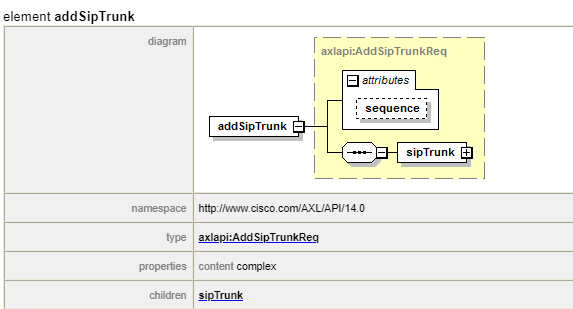
One of the common interfaces/APIs that use this SOAP based web service is called AXL (Administrative XML). It provides us a mechanism to perform CRUD (Create, Read, Update and Delete) operations on CUCMs database. AXL works in conjunction with WSDL (Web Services Description Language) to Create, Read, Update, and Delete objects like gateways, users, devices, route-patterns etc within the central database.
- CM Groups
- Partitions
- Calling Search Spaces
- Device Pools
- Device Profiles
- SIP trunks
- Directory Numbers
This post is concerned only with the Administrative AXL interface. There are, of course, other APIs that utilize the CUCM web services, that we can use to build custom programs specific to our needs. For example, we can utilize the “PerfMon” to capture real time performance counters and build custom dashboards, quite similar to what we see in RTMT. Similarly, we can utilize other WSDLs like CDR on Demand, Control Center to capture call records and control application services respectively. The opportunity to leverage the benefits of such amazing stack of web services is limited only by our imagination.
Before we go further, we need to have an absolute clarity on the following topics since we will be talking a lot about them in upcoming posts
- AXL API
- SOAP
- WSDL
- HTTPS
A simple google search of these terms would result in thousands of articles explaining their definitions/roles and yet there are a lot of people who still get confused among these terms and their exact role in the kind of operation we are discussing here. So, without adding too much confusion, here is the simplest explanation of the aforementioned points.
- AXL API is an interface from CUCM’s perspective that provides a mechanism to perform CRUD operations on its database. It basically acts as a door through which you can gain entry into CUCMs database
- SOAP is a protocol that allows an exchange of structured information based on XML. This is the only web service currently supported by CUCM.
- WSDL, or Web Service Description Language, is an XML based description language. The key word in the previous statement is “description”. It’s used for describing the functionality of a SOAP based web service. The WSDL in simple terms, lists the operations that can be performed on a web service.
- HTTPS is the transport mechanism that facilitates whatever is mentioned above. After all, we are doing all this on the network. So, we need to have the traditional network pieces in place.
Every server side API works on a standard request-response based system meaning that a client would send a “request” to the server through an API and the server in turn will return a response. In CUCMs context, this request will abide by certain rules governed by a protocol/framework (SOAP) and will encapsulate its payload in a format (XML) that is accepted by the destination. If you are familiar with REST based Web Services, then you can consider XML based payload messages as equivalent to JSON formatted messages in REST.
You can use any programming language to write the program but in order to communicate with the SOAP based web service which CUCM’s AXL API is, the client program’s request will have to abide to the following 2 points.
- It should be based on the WSDL definition of an operation
- Encapsulate messages in XML format
I hope that I was able to make few things clear through this post and help those who want to start their journey into the programming/automation front.
*************************************************
I’ve been engaged in the programming/automation work on both Network and UC domains for quite some time now and love sharing ideas with others. I’ll be posting more along these lines in addition to live scenarios and programs. I’ll also be posting the source code on my github repository as we go forward so that anyone who wants to download the code and use it or customize it even further according to their own specific needs can do so. I had created the repository more than 2 years back hoping to do then what I am starting now but other things kept coming and this idea fell by the wayside. I plan to stick around more this time though 🙂
Please feel free to drop your suggestions/feedback if any. Until then, Happy Learnings!!
 Learn UC Collaboration